Hello ATUM Support Team,
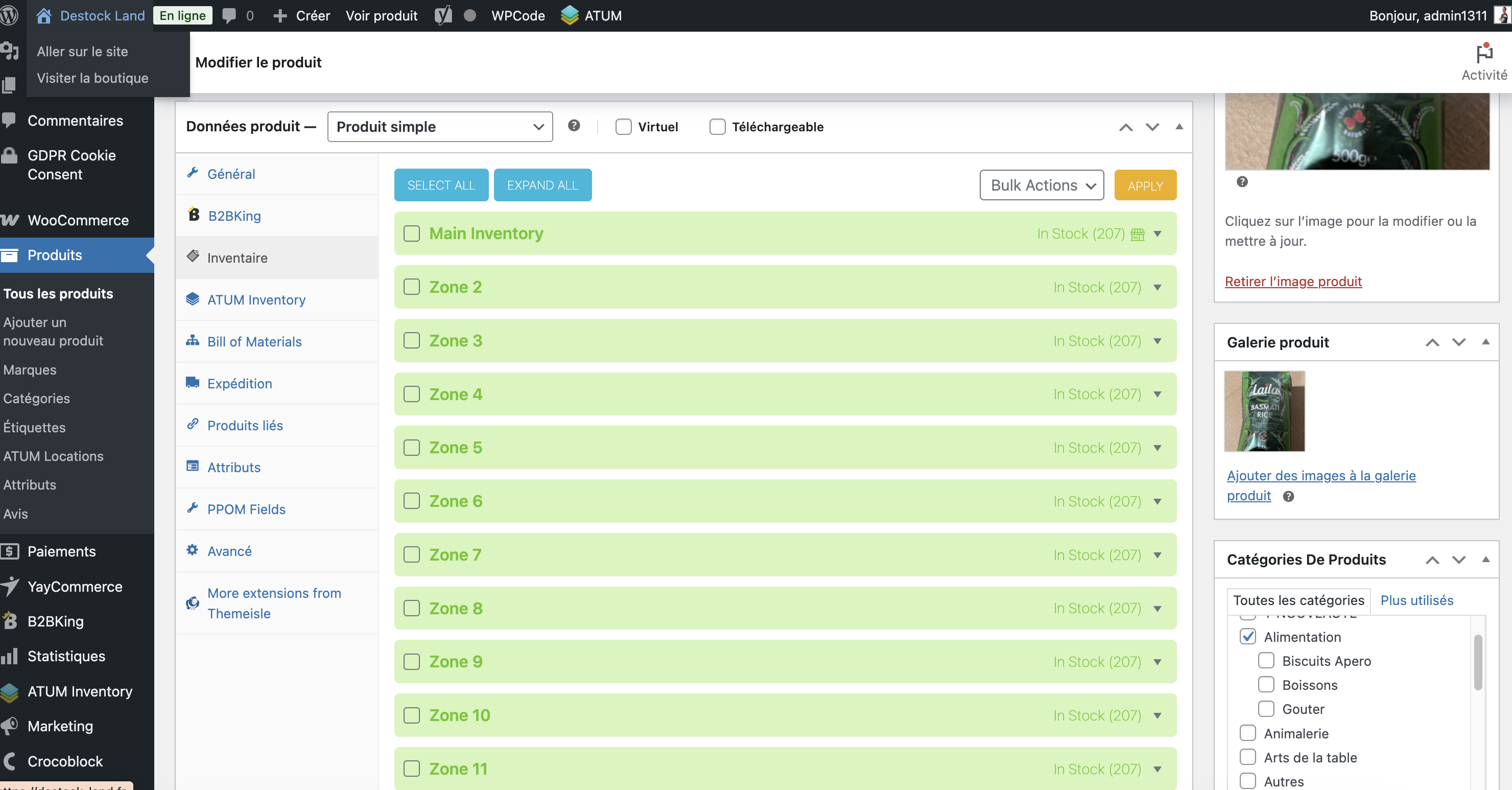
I need your help with importing stock quantities by location using ATUM Multi-Inventory. I’ve successfully created multiple stock locations, but I’m facing two main issues:
Context:
I’m using ATUM Inventory + Multi-Inventory an Excel file containing products with their locations and stock quantities.
My Excel file is structured as follows for locations 3C08[207],3B08[207],4C04[207],10PC01[4],...
I’ve enabled "Each Product has multiple ATUM Locations" and mapped {location[1]} to my _stock_loclocations column, using , as the separator.
Issues:
Importing Stock Quantities by Location:
I’m unsure how to directly import stock quantities by location from my Excel file. The quantities do not appear in ATUM > Stock Central after the import.
Is the format 3C08[207],3B08[207] compatible with the latest version of ATUM? If not, what is the correct format?
Displaying Location Information to Order Pickers:
How can I ensure that my order preparers see the stock location information directly in WooCommerce orders? Currently, they cannot see which location to pick from.
What I’ve Tried:
Verified that the _stock_locations format is correct (e.g., 3C08[207]).
Enabled "Attempt to match terms to existing ATUM Locations."
Cleared cache and checked import logs.
Questions:
Is there a specific setting or additional step required to import stock quantities by location?
How can I display stock location information in WooCommerce orders for my order pickers?
Do you have a sample file or mapping configuration that works for this use case?